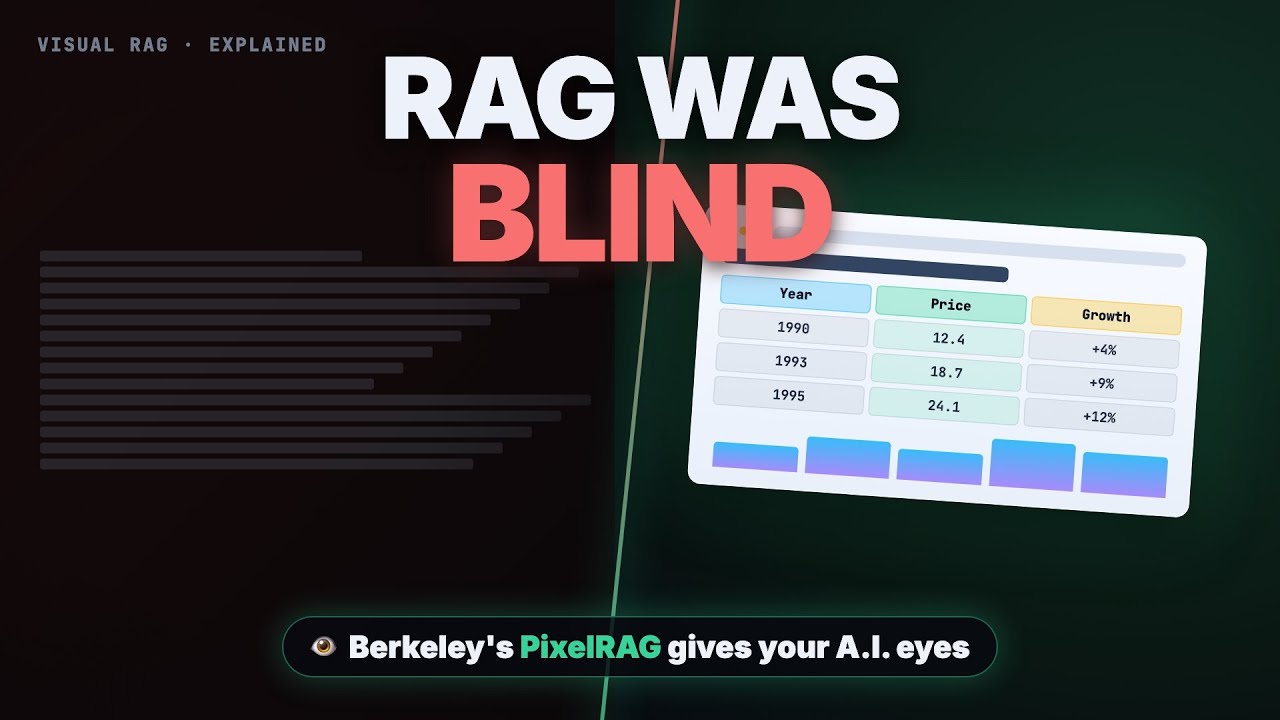
RAG Was Blind This Whole Time — Berkeley’s PixelRAG Gives Your AI Eyes
This video explains Berkeley Sky Lab's PixelRAG, which replaces text-parsing RAG with visual retrieval — screenshotting pages, embedding the pixels with a fine-tuned Qwen-3 VL model, and searching by how content looks — and shows three adoption tiers from a free hosted Wikipedia index to the PixelBrowse Claude Code plugin to indexing your own documents.
A RAG lesson is about the evidence path: source corpus, parsing, indexing, retrieval, generation, evaluation, and operations.
New playlist item from Hyperautomation Labs; queued for transcript-backed review, topic mapping, and a practical learning artifact.
Skill you build: The ability to recognize when a document's visual structure carries the meaning and deploy pixel-based retrieval instead of text RAG, choosing the right adoption tier for the job.
Watch for the shift from claim to mechanism. The learning value is the point where the transcript reveals a repeatable action, tool boundary, context move, review habit, or artifact.
Concept diagram
Where this video fits.
01Source corpus
02Parsing/chunking
03Indexing
04Retrieval query
05Generation
06Evaluation
07Ops risk
Deep lesson
Turn this video into working knowledge.
1,406 cleaned transcript words reviewed across 586 timed caption segments.
Thesis
RAG Was Blind This Whole Time — Berkeley’s PixelRAG Gives Your AI Eyes teaches a practical rag pipeline move: This video explains Berkeley Sky Lab's PixelRAG, which replaces text-parsing RAG with visual retrieval — screenshotting pages, embedding the pixels with a fine-tuned Qwen-3 VL model, and searching by how content looks — and shows three adoption tiers from a free hosted Wikipedia index to the PixelBrowse Claude Code plugin to indexing your own documents.
The goal is not to remember the video. The goal is to extract the operating principle, tie it to timestamped evidence, test how far the claim transfers, and make something reusable.
0:00
Where text RAG leaks
“Your AI has been reading documents with its eyes closed. Look at this table. Clean rows, clean columns. The answer sitting right there. But the moment a normal rag system touches it, this happens. It gets shredded into...”
Classic RAG parses HTML to plain text before chunking and embedding, which destroys tables, charts, layouts, and infographics — the most information-dense parts of any document are dead before the search engine ever gets a vote, and that's how almost every retrieval system works today. Take one table-heavy document you rely on, run it through a text extractor, and note exactly which columns, alignments, and charts get shredded.
4:10
Embed pixels, not prose
“vision model and becomes a vector. Four, build index. All those vectors go into a vector index called FAISS, the same battle-tested library that powers huge text search systems. And five, serve. A simple API takes your question...”
PixelRAG screenshots the page, slices it into tiles, and embeds those tiles with a Qwen-3 VL embedding model fine-tuned on screenshots so a revenue-table image and the typed question 'What was revenue in 1995?' land near each other in the same vector space — the full pipeline is five open-source stages (render via PixelShot's Chromium, chunk, embed, FAISS index, serve), and it beats the strongest text parser 78.8% vs 71.6% on simple QA and 48.8% vs 42.5% on table questions while using several times fewer tokens per agent query. Write out the five stages (render, chunk, embed, index, serve) and annotate each with what would break if you swapped the visual embedding back to text.
7:08
Three ways in
“going to love. PixelRag ships as a Claude code plugin called PixelBrowse. Install it and Claude can screenshot any page and actually see it. Charts, tables, dashboards, the way a human does, instead of choking on scraped text.”
Adoption is tiered: query the free hosted index of 8.28 million Wikipedia pages with one command; install the PixelBrowse Claude Code plugin (three commands, then /screenshot a link) so your agent reads charts and dashboards visually; or run 'pixel rag index build' and 'serve' over your own financial reports and slide decks — but vision embeddings cost more compute, retrieval is slightly slower, and gains are small on plain prose. Test tier one today: send one table-dependent question to the hosted Wikipedia endpoint and compare the returned page tiles against what a text search gives you.
01
Source corpus
Start with this video's job: This video explains Berkeley Sky Lab's PixelRAG, which replaces text-parsing RAG with visual retrieval — screenshotting pages, embedding the pixels with a fine-tuned Qwen-3 VL model, and searching by how content looks — and shows three adoption tiers from a free hosted Wikipedia index to the PixelBrowse Claude Code plugin to indexing your own documents. Treat "Source corpus" as the outcome you are trying to make visible, not a topic label. Anchor it to 0:00, where the video says: “Your AI has been reading documents with its eyes closed. Look at this table. Clean rows, clean columns. The answer sitting right there. But the moment a normal rag system touches it, this happens. It gets shredded into...”
02
Parsing/chunking
Use "Parsing/chunking" to locate the part of the rag pipeline mechanism the video is demonstrating. Ask what changes in your real setup if this claim is true. Anchor it to 4:10, where the video says: “vision model and becomes a vector. Four, build index. All those vectors go into a vector index called FAISS, the same battle-tested library that powers huge text search systems. And five, serve. A simple API takes your question...”
03
Indexing
Turn "Indexing" into the reusable artifact for this lesson: A RAG pipeline blueprint with source corpus, indexing/retrieval path, memory boundary, evaluation set, and operational guardrails. This is where watching becomes something you can inspect and reuse.
04
Retrieval query
Use "Retrieval query" as the application surface. Decide whether the idea touches a browser flow, a local file, a model choice, a source document, a UI, or a review step.
05
Generation
Use "Generation" to prove the lesson. The evidence should connect back to the video title, transcript anchors, and a concrete output, not a generic best-practice claim.
06
Evaluation
Use "Evaluation" to carry the idea forward: save the prompt, checklist, diagram, or operating rule that would make the next agent run better.
07
Ops risk
Connect "Ops risk" to RAG Was Blind This Whole Time — Berkeley’s PixelRAG Gives Your AI Eyes by naming the claim, the evidence, and the artifact it should produce.
Example
Source-backed artifact packet
Convert the video into a scoped artifact request that includes the transcript claim, mechanism, acceptance criteria, and proof. The output should be a rag pipeline blueprint with source corpus, indexing/retrieval path, memory boundary, evaluation set, and operational guardrails..
Example
RAG pipeline proof brief
Separate what the speaker claims, what the demo actually proves, and what still needs outside verification before you adopt the rag pipeline pattern.
Example
Teach-back module
Transform the lesson into a definition, a Source corpus -> Parsing/chunking -> Indexing -> Retrieval query -> Generation -> Evaluation -> Ops risk diagram, one misconception, one practice exercise, and a check-for-understanding question.
Do not learn it wrong
Treating the title as the lesson without checking what the transcript actually says.
calling any memory feature RAG
skipping evaluation
mixing source evidence with unsupported generated claims
Letting the lesson drift into RAG-is-dead slogans.
Letting the lesson drift into database diagrams without answer evaluation.
Letting the lesson drift into unsupported enterprise-readiness claims.
Do not count this as learned until these are true.
01
State the transcript-backed claim in your own words: This video explains Berkeley Sky Lab's PixelRAG, which replaces text-parsing RAG with visual retrieval — screenshotting pages, embedding the pixels with a fine-tuned Qwen-3 VL model, and searching by how content looks — and shows three adoption tiers from a free hosted Wikipedia index to the PixelBrowse Claude Code plugin to indexing your own documents.
02
Explain the practical stakes without hype: New playlist item from Hyperautomation Labs; queued for transcript-backed review, topic mapping, and a practical learning artifact.
03
Map the idea onto the Source corpus -> Parsing/chunking -> Indexing -> Retrieval query -> Generation -> Evaluation -> Ops risk sequence and name the weakest link.
04
Produce the artifact and include the evidence that proves it: A RAG pipeline blueprint with source corpus, indexing/retrieval path, memory boundary, evaluation set, and operational guardrails.
Put it into practice
Give this grounded prompt to Codex or Claude after watching.
You are helping me turn one specific YouTube video into real, durable learning.

Source video:
- Title: RAG Was Blind This Whole Time — Berkeley’s PixelRAG Gives Your AI Eyes
- URL: https://www.youtube.com/watch?v=ih5GKdGUIns
- Topic: Creative Automation
- My current learning frame: Pick one chart-and-table-heavy document set you own, stand up a local PixelRAG index over it, and ask five questions whose answers live in visual structure — then decide per the video's rule whether each of your retrieval use cases needs visual or text search.
- Why this matters: New playlist item from Hyperautomation Labs; queued for transcript-backed review, topic mapping, and a practical learning artifact.

Transcript anchors from this exact video:
- 0:00 / Evidence 1: "Your AI has been reading documents with its eyes closed. Look at this table. Clean rows, clean columns. The answer sitting right there. But the moment a normal rag system touches it, this happens. It gets shredded into..."
- 1:55 / Evidence 2: "beautifully simple question. What if we never pass the page to text at all? What if we just take a picture of it? That is Pixel Rag. Instead of shredding the page, it screenshots it. It slices that..."
- 4:10 / Evidence 3: "vision model and becomes a vector. Four, build index. All those vectors go into a vector index called FAISS, the same battle-tested library that powers huge text search systems. And five, serve. A simple API takes your question..."
- 7:08 / Evidence 4: "going to love. PixelRag ships as a Claude code plugin called PixelBrowse. Install it and Claude can screenshot any page and actually see it. Charts, tables, dashboards, the way a human does, instead of choking on scraped text."
- 8:55 / Evidence 5: "compute, and retrieval is a little slower. On plain prose, an article that is just paragraphs with no real visual structure, the gains are small. You might not need it there. And the full pre-built Wikipedia index is..."
- 10:32 / Evidence 6: "If you want to go deeper, my complete Claude code guide is linked down in the description. Rag was blind this whole time. Now, you can finally see the fix. Go build with it."

Video-aware target:
- Prompt lane: RAG pipeline
- Mechanism to extract: Extract the retrieval mechanism and show how evidence moves from source documents into generated answers.
- Artifact to produce: A RAG pipeline blueprint with source corpus, indexing/retrieval path, memory boundary, evaluation set, and operational guardrails.
- Artifact must include: corpus; chunking/indexing; retrieval path; generation boundary; evaluation set; ops risk

Your task:
1. Use the transcript anchors above as the primary source packet. If you add outside context, label it clearly as outside context and keep it secondary.
2. Create a source-check table with columns: timestamp, claim, transcript support, what the demo proves, confidence, and what still needs verification.
3. Extract the actual teachable mechanism from the video: Extract the retrieval mechanism and show how evidence moves from source documents into generated answers. Do not invent claims that are not supported by the title, lesson frame, or transcript anchors.
4. Build a reusable learning artifact: A RAG pipeline blueprint with source corpus, indexing/retrieval path, memory boundary, evaluation set, and operational guardrails.
5. Include:
   - a plain-English definition of the core idea
   - a diagram or structured model using this sequence: Source corpus -> Parsing/chunking -> Indexing -> Retrieval query -> Generation -> Evaluation -> Ops risk
   - answers to these source questions: What source corpus is used? | How is retrieval or memory wired? | What evaluation proves grounded answers?
   - 3 concrete examples that apply the video idea to real agentic work, such as enterprise document QA; agent memory retrieval; support knowledge-base answer flow
   - 2 failure modes the video helps prevent, chosen from the transcript evidence and these likely risks: calling any memory feature RAG; skipping evaluation; mixing source evidence with unsupported generated claims
   - a checklist for the next real workflow, focused on: source corpus, retrieval quality, citation behavior, eval questions, freshness/permissions
   - one practical exercise with a clear done signal: Define five eval questions and the source documents that should answer them.
6. Add a "learning transfer" section: what changes in my workflow tomorrow if I actually learned this?
7. Add a "source check" section that cites which transcript anchor supports each major takeaway.

Quality bar:
- Make this specific to "RAG Was Blind This Whole Time — Berkeley’s PixelRAG Gives Your AI Eyes", not a generic Creative Automation essay.
- Cite the transcript wherever the prompt names a task boundary, review habit, context move, or verification standard.
- Prefer operational examples, failure modes, and reusable artifacts over broad definitions.
- Call out uncertainty instead of smoothing over weak evidence.
- Avoid these generic drifts: RAG-is-dead slogans; database diagrams without answer evaluation; unsupported enterprise-readiness claims.
- If evidence is weak or missing, stop and say what transcript segment or timestamp needs review instead of guessing.
- Finish with a concise artifact I could paste into my learning app.
Misconceptions
What to stop believing.
Creative AI removes the need for taste.
It increases the need for taste because output volume explodes.
The best prompt is enough.
References, critique, iteration, and post-production matter just as much.
Practice studio
Learning only counts when you make something.
01
Transcript evidence map
Separate what the video actually says from what you already believe about the topic.
3 source-backed takeaways with timestamps, confidence, and a transfer note.02
One useful artifact
Apply the video to a real workflow and produce a rag pipeline blueprint with source corpus, indexing/retrieval path, memory boundary, evaluation set, and operational guardrails..
A reusable artifact with a done signal and one verification step.03
RAG pipeline teach-back card
Explain the rag pipeline mechanism to someone who has not watched the video yet.
A 90-second explanation, one diagram, one example, and one misconception to avoid.
Recall check
Answer first, then reveal — without rewatching.
At which step does classic RAG destroy visual information, and what exactly is lost?
How can PixelRAG match a typed text question against a screenshot of a page?
When does the video say you should NOT bother with PixelRAG?
Source shelf
Use the video as a doorway, then verify with primary sources.